EdMon Premiere MCP · Tutorial

Set it up once. Then just ask.

Ten minutes to install and connect, then everything happens in plain words: you tell Claude Code or Claude Desktop what the edit needs, and it does the work in the Premiere project you have open. This page shows you how, and what to ask first.

Download for Mac 7 days free. Then $30 a month.

Before you start

Three things on your Mac.

MacApple silicon (M1 or later)
Premiere ProVersion 26.2 or later, open with a project
ClaudeClaude Code or Claude Desktop, on your own Claude plan

Setup

The app connects everything for you.

Download the installer, drag EdMon Premiere MCP into Applications and open it. A setup wizard walks you through each step, and the Setup page shows a green light for each one when it is done.

  1. This Mac. The app checks it is running on Apple silicon.
  2. Your EdMon account. Make one or sign in. Your 7-day trial starts here.
  3. Claude. The app adds EdMon to Claude Code and Claude Desktop itself. Start a new Claude Code session, or restart Claude Desktop, to see the tools.
  4. Premiere Pro. The app installs the EdMon plugin and checks that Premiere answers. You find the plugin under Window › UXP Plugins › EdMon.
  5. Media tools. The app fetches what it needs to look at and listen to your footage.
  6. Graphics. For titles, lower thirds and other motion graphics, the app installs the graphics tools it needs.
  7. Test. EdMon reads your open project in Premiere, to prove the connection works end to end.
  8. Your own service keys. Optional, and you can add them any time.
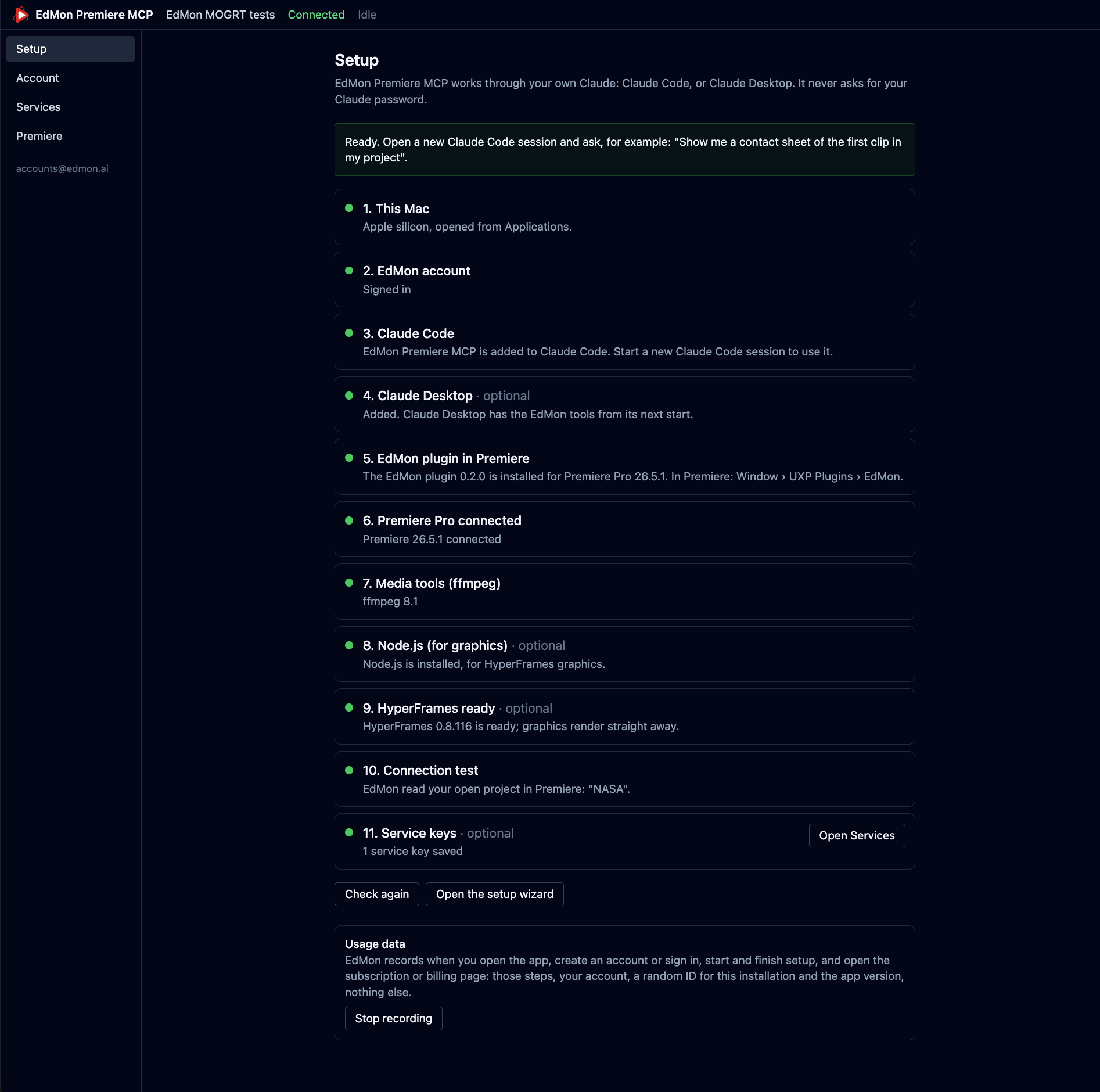
The EdMon Premiere MCP Setup page: every step from This Mac to Service keys shows a green light, with the message Ready, open a new Claude Code session.
When every step is green, the app tells you what to type first.

Where your files go

Everything Claude makes for you, from transcripts and contact sheets to graphics, voice-overs and images, is saved in Movies › EdMon MCP Files, in a folder per project, with a shortcut on your Desktop.
Your account

What is included.

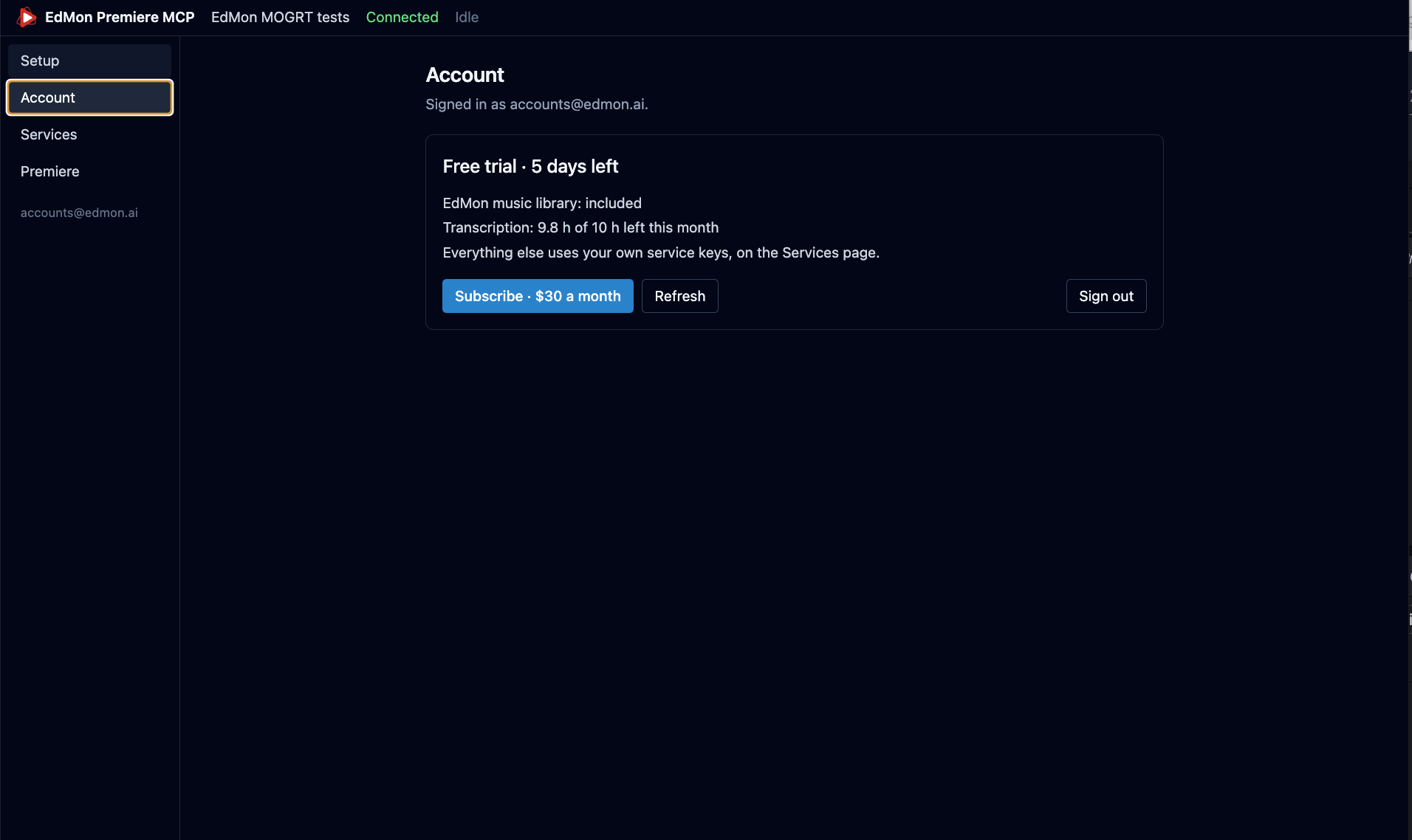
The Account page shows your trial or subscription and what is left this month.

  • The EdMon music library, about 1,300 tracks
  • 10 hours of transcription a month
  • Voice-over minutes, once you have confirmed your email
  • Images: 10 during the trial, 100 a month with a subscription

After the 7 days, subscribe from the same page: $30 a month.

The Account page: Free trial, 5 days left. EdMon music library included, transcription 9.8 of 10 hours left this month, and a Subscribe button for $30 a month.

Your own services

Bring the tools you already pay for.

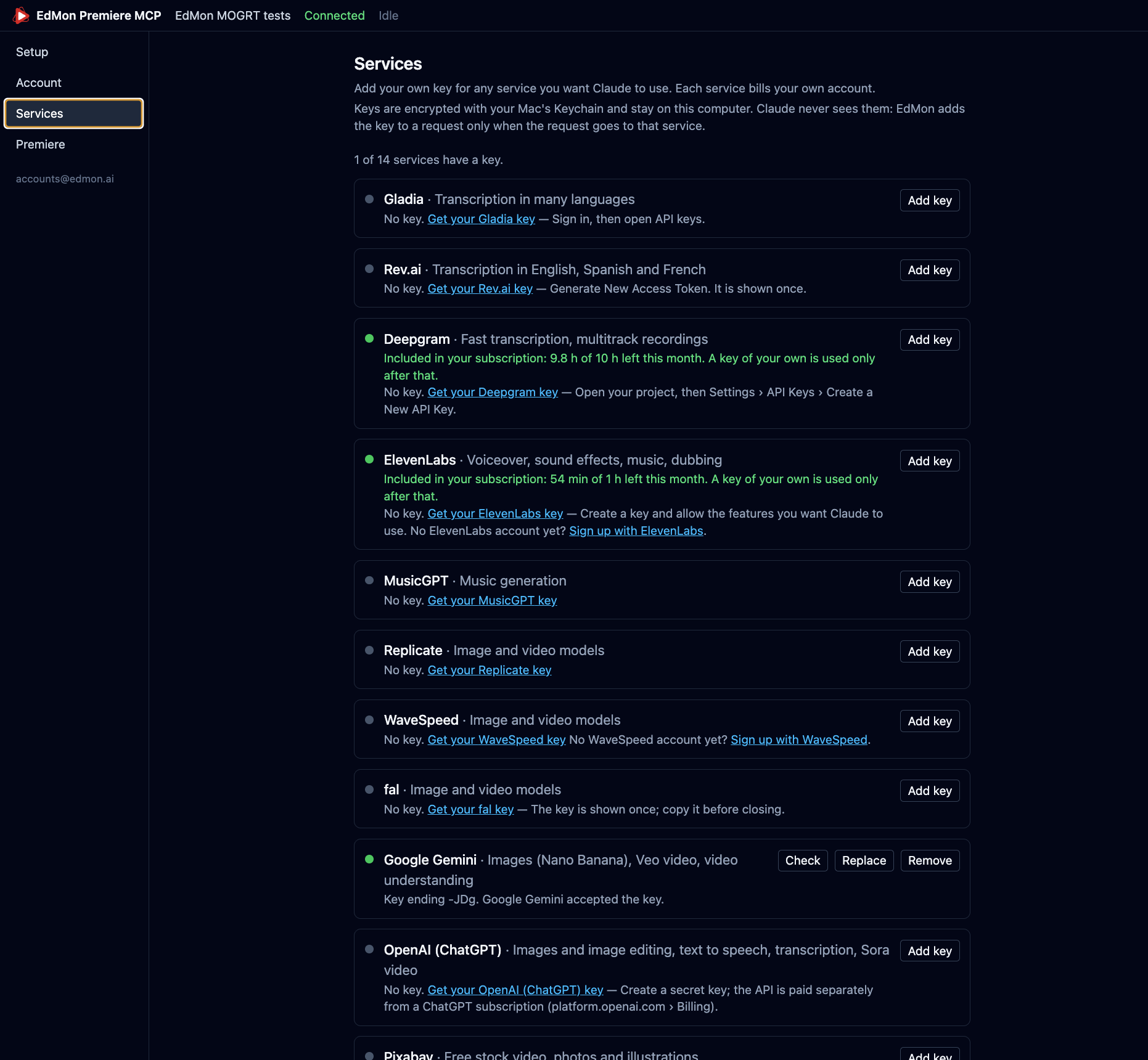
On the Services page, add your own key for any service you want Claude to use: ElevenLabs for voices, Google Gemini or OpenAI for images and video, Gladia, Rev.ai or Deepgram for more transcription, and others. Each service bills your own account.

Keys are encrypted with your Mac’s Keychain and stay on your computer. Claude never sees them: EdMon adds a key to a request only when that request goes to its service.

The Services page with a card per service: Gladia, Rev.ai, Deepgram and ElevenLabs showing included hours and minutes, MusicGPT, Replicate, WaveSpeed, fal, Google Gemini with a saved key, and OpenAI.

What to ask

Type it the way you would say it to an assistant editor.

Open Claude Code or Claude Desktop with Premiere running and your project open. These are good first requests; change the names to match your project.

Look at the footage

Make a contact sheet of every clip in the Interviews bin.

A grid of frames for each clip, so you and Claude can see what was shot.

Find what was said

Transcribe the interview with Anna and find where she talks about her father.

A transcript with word timings, saved beside your project, and the moment you asked for.

Uses your included hours

Find the pauses

Where are the long silences in this interview?

The spans where nobody speaks, ready to trim.

Cut a story

Cut a 90-second story from the interviews about the launch day.

A new sequence with the shots, the sound bites and music, built in one go.

Music under speech

Put something calm and hopeful under this, and duck it under the speech.

A track from the EdMon library on a free audio track, lowered under every voice.

Included music library

A lower third

Make a lower third for Jane Example, Director, and put it at the first interview.

A graphic with a transparent background, rendered on your Mac and placed above the picture.

A guide voice-over

Make a voice-over from this script and lay it at the start of the sequence.

An audio file in your project, read by a voice you choose.

Uses your included minutes

An image for the intro

Make an image of a foggy harbour at dawn for the opening shot.

A picture imported into your project, ready to use or to animate.

10 in the trial

A file that will not import

This WebM file won’t import. Can you fix it?

A copy Premiere can open, next to the original.

Three workflows

From one sentence to a finished piece.

1 · Import and organise

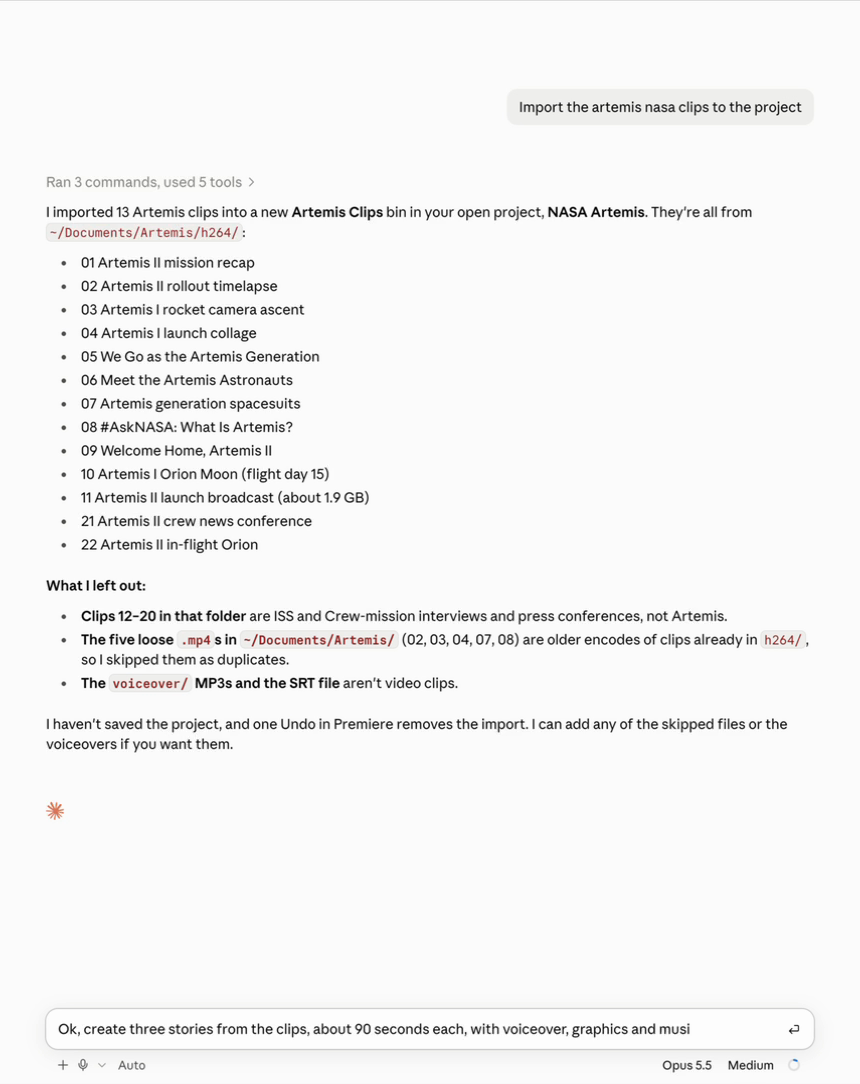
Import the Artemis clips from my Documents folder into the project.

Claude finds the files, puts them in a new bin and tells you which ones it left out and why: duplicates, audio-only files, anything that is not footage.

Claude's reply: 13 Artemis clips imported into a new Artemis Clips bin, a list of the clips, and what it left out.

2 · Cut stories with graphics and music

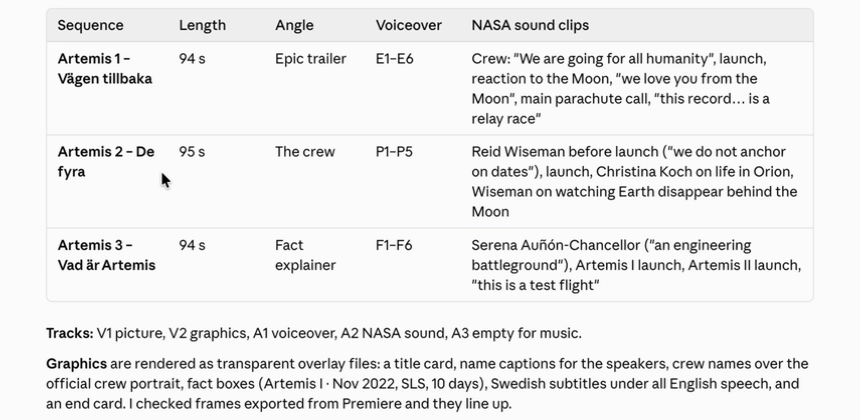
Create three stories from the clips, about 90 seconds each, with voice-over, graphics and music.

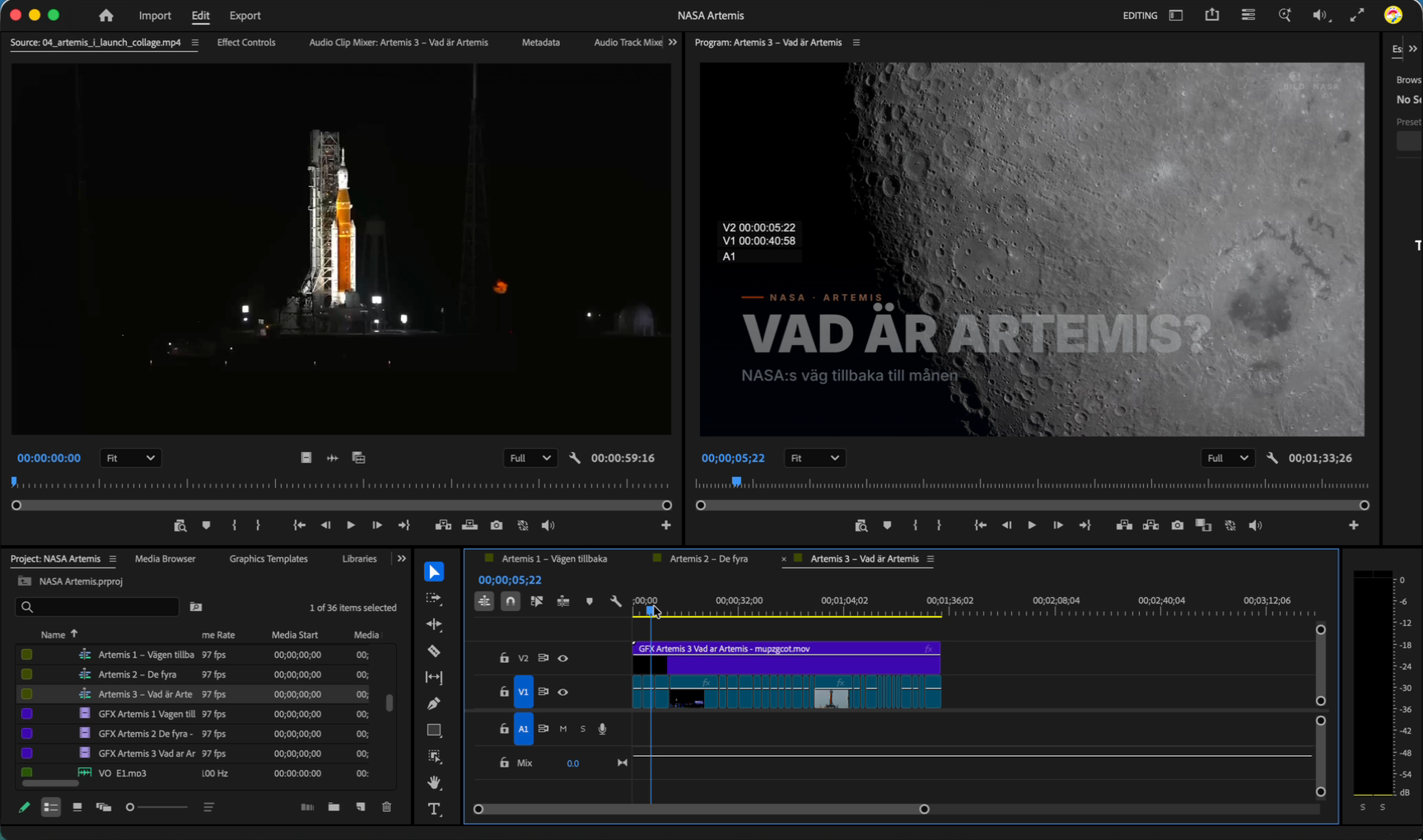
Claude looks at the footage, finds the speakers, builds each sequence in Premiere, renders title cards, name captions and subtitles on their own track, and picks music for each story from the EdMon library.

Claude's summary of three stories: length, angle, voice-over and the sound clips used in each.
One of the stories in Premiere: a VAD ÄR ARTEMIS? title over moon footage, with the graphics on V2 above the pictures.

3 · A video, storyboard first

Make a 45-second promo from the best shots, storyboard first.
  1. A plan. Claude proposes the beats in a table: what is on screen and why. You approve or change it.
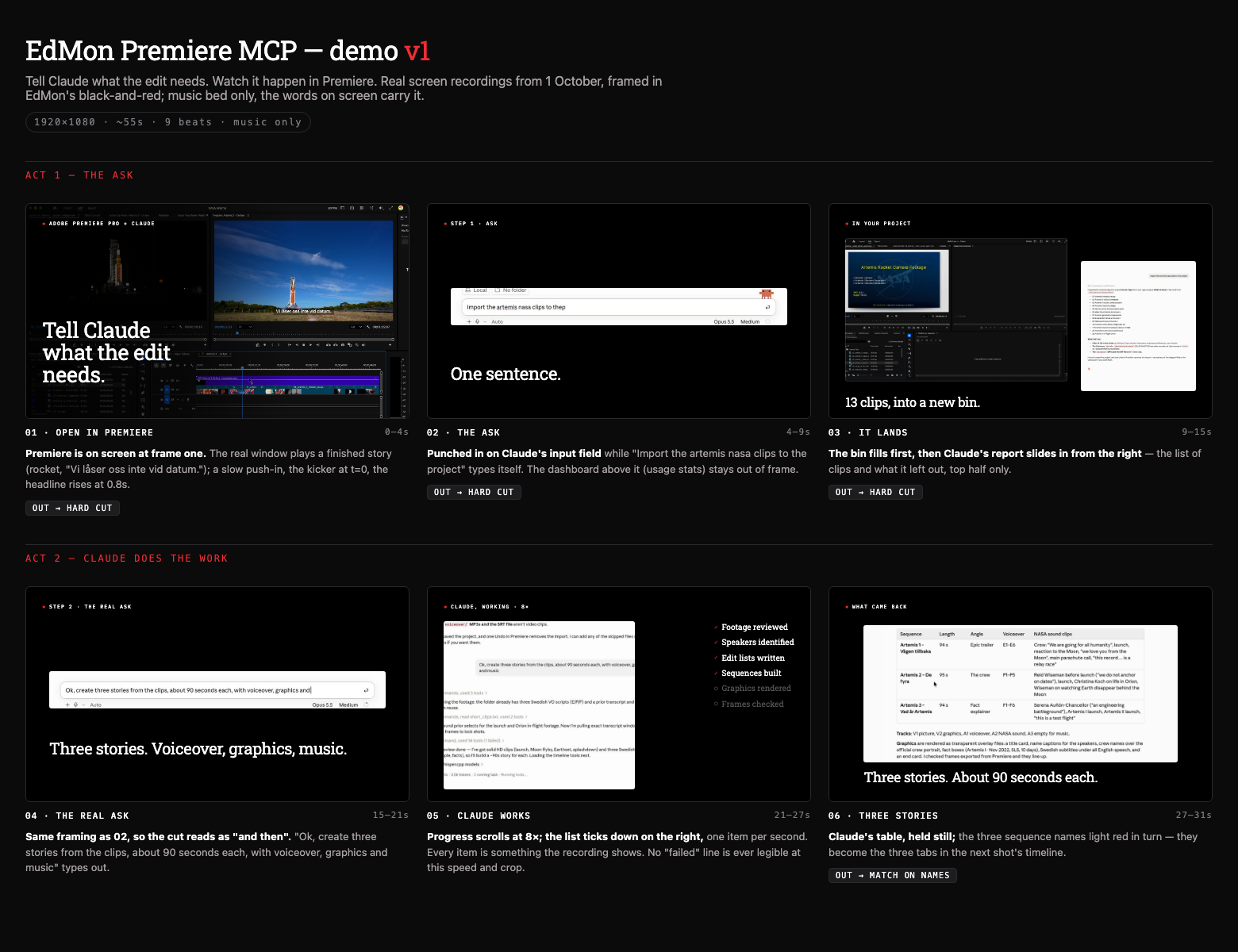
  2. A storyboard. A page of still frames with the real text and layout, to open in your browser and correct cheaply.
  3. A preview. The finished piece opens in a preview you can play, scrub and adjust.
  4. The render. Only when you say so, then it lands in your project.
A storyboard sheet in the browser: one still frame per beat with the real headline text and footage, a note on what moves first, and how each shot cuts to the next.
The storyboard for the Artemis demo: correct the layout here, before anything is animated.

Tips

Getting the most out of it.

  • Be specific about where. Name the bin, the sequence and the track: “on V2 at the first interview” beats “add a title”.
  • Ask for the plan first on anything big: “tell me the edit list before you build it”.
  • Every edit is a step in Premiere’s Undo. For a big change, ask Claude to duplicate the sequence first and work on the copy.
  • Claude asks before it removes or replaces anything. Say yes only when you mean it.
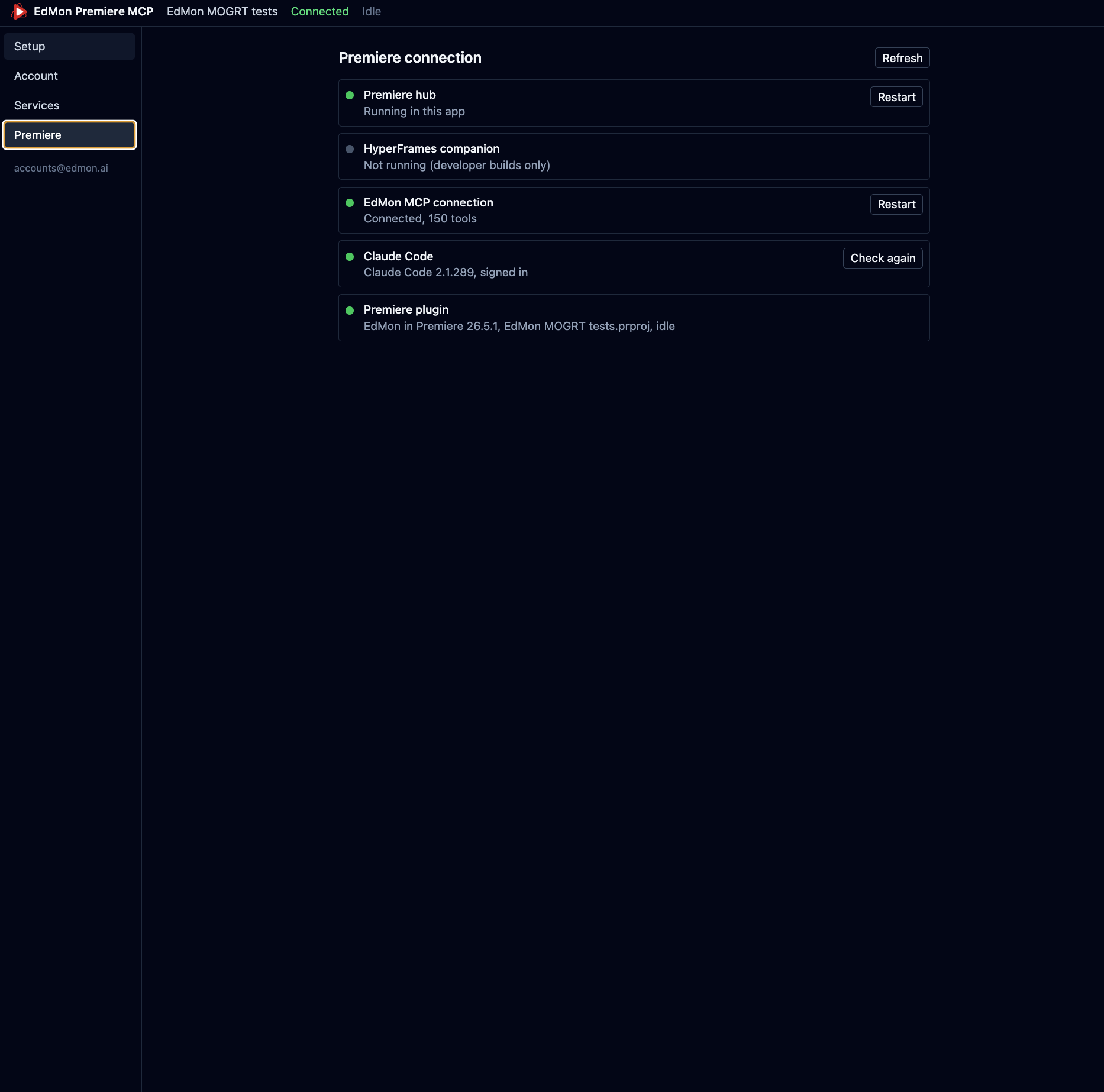
  • If something is not connected, open the app’s Premiere page: it shows the hub, the plugin and Claude, each with a restart button.
The Premiere page of the app: Premiere hub running, EdMon MCP connection connected with 150 tools, Claude Code signed in, and the EdMon plugin in Premiere 26.5.1.

Open Premiere. Ask for the first edit.

Download for Mac

7 days free. Then $30 a month. Back to the overview