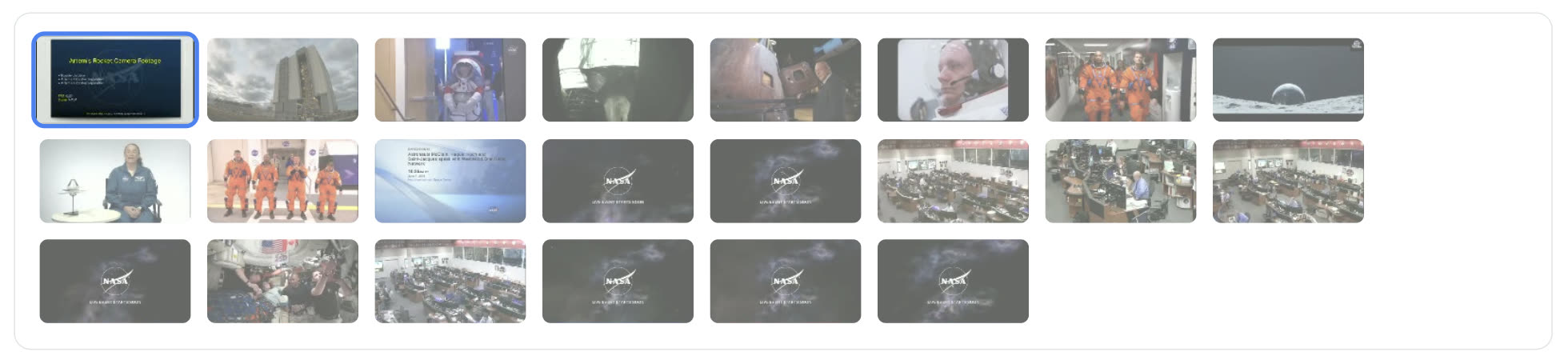
Twenty-two clips. A dozen stories.
The bin holds an Artemis II launch campaign, two post-flight conferences, a Crew 12 launch, an ISS anniversary and a run of crew interviews spanning Expeditions 59–74.
There is no single story in there. There are twelve. Buried in dozens of astronauts, a NASA administrator, ground teams and international partners, all talking across hours of tape.
The old job starts here: watch everything, work out what the stories are, log the soundbites, then build a cut for each one. That is a day and a half before anyone touches a timeline — and at the end of it you have committed to a single story, because there was never time for four.
Choose the format before you choose the story.
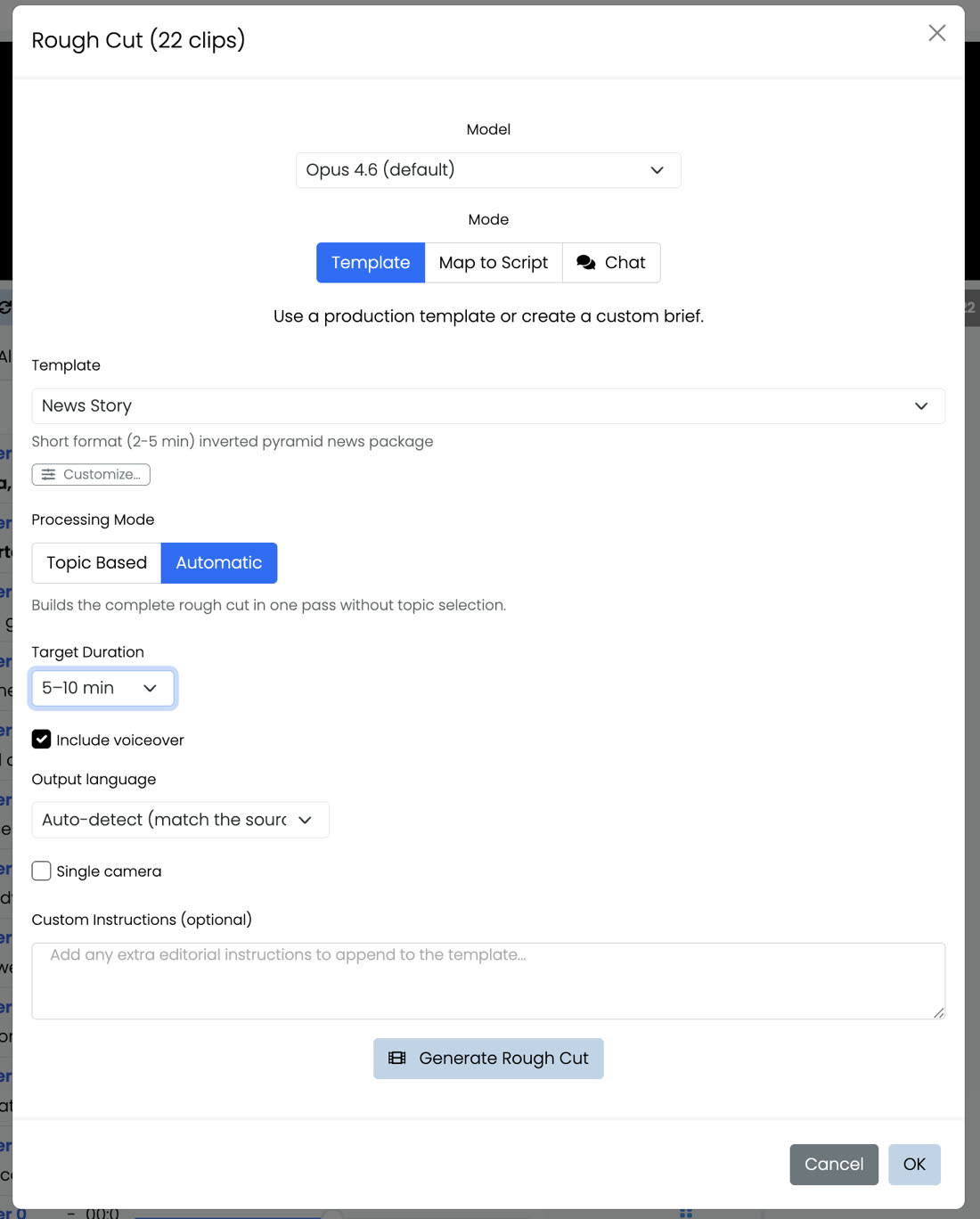
Select the clips, open Rough Cut, and pick News Story — a short-format inverted-pyramid package. The template carries the editorial rules: lead first, key facts next, supporting material after.
Every other control here is a production decision, not a technical one. Set them once and they carry through every cut the run produces.
- Model
- Which engine reads the footage and builds the cut. Opus 4.6 is the default.
- Mode
- Template generates from an editorial brief. Map to Script takes a script you already wrote and finds the pictures for it. Chat lets you just describe what you want. News Story is a Template.
- Template
- The format. News Story is a 2–5 minute news package; the same panel carries templates for other formats.
- Processing Mode
- The choice this whole walkthrough turns on. Automatic builds one complete cut in a single pass. Topic Based stops first and shows you what stories are actually in the footage. Step 03.
- Target Duration
- How long you want the finished piece. It is a brief rather than a trim — if the cut comes up short it goes back to the tapes for more material rather than padding what it has.
- Include voiceover
- Writes the links between soundbites and voices them, so the rough cut plays as a piece instead of a string of quotes.
- Output language
- Follows the footage by default, or forces an output language when you are cutting for a different market.
- Single camera
- Tells it the shoot was one camera, so every join is read as a jump in time rather than a change of angle. It changes what it is allowed to butt together.
- Custom Instructions
- House style, banned words, who to favour, what to avoid. Folded into the brief.
Automatic gives you a cut. Topic Based gives you a choice.
Both routes end in a finished rough cut. They differ in whether you get to see the stories before one is picked for you.
Automatic
One pass. No stop, no list, no decision. It reads the footage and builds the complete rough cut straight through.
Topic Based
Two phases. An analysis pass reads every transcript and comes back with the news angles it can actually support. You pick. Then it generates.
It reads everything, then pitches you the stories.
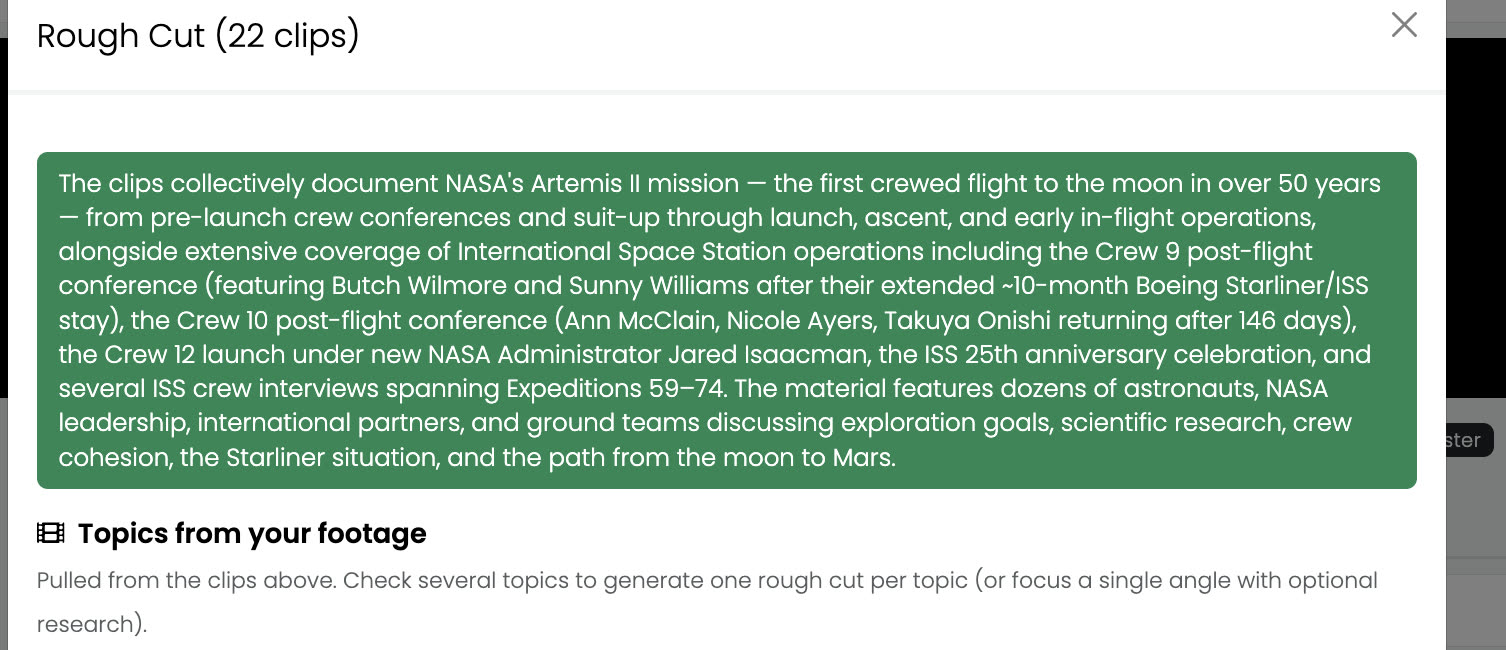
Every transcript goes in at once — on this run, 22 clips and just over a million characters of speech. Three minutes later you have a summary of what you shot, a roster of who keeps appearing, and twelve news angles. That is the whole logging pass, done.
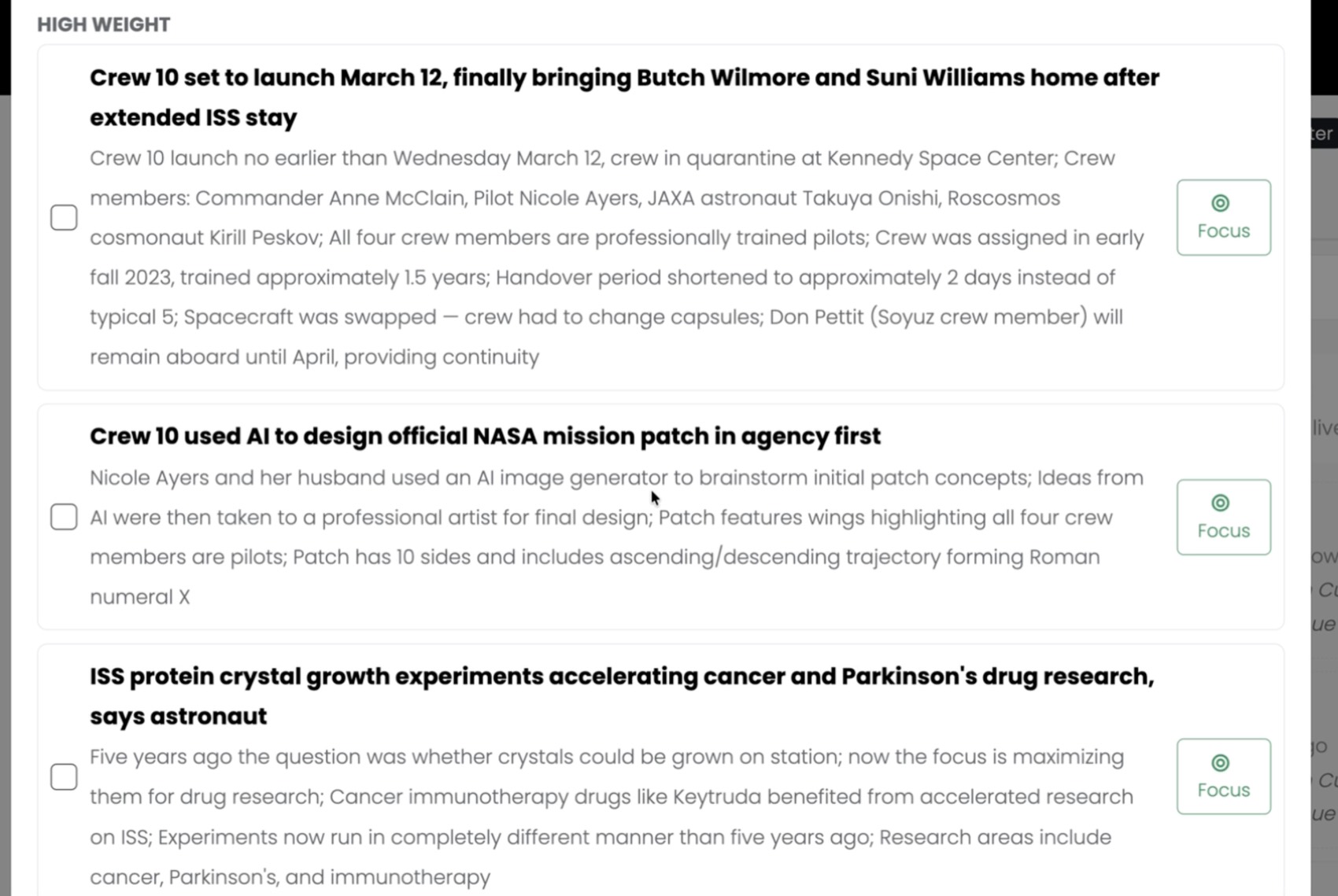
An angle is a pitch, not a subject. Not “space research” but “ISS protein crystal research accelerating Parkinson’s and cancer drug development by years.” Each one arrives with the facts that back it — names, dates, numbers, the strongest speakers, and verbatim quotes — all lifted from the tapes.
High, medium and low weight is its editorial call on how strong each pitch is, and it sorts the list so the strongest sit at the top. Low-weight angles are left unticked by default, so nothing thin gets swept into a cut unless you deliberately reach for it.
One story with research behind it, or every story at once.
Same footage, same template, same twelve angles — two very different jobs. And you choose which one you are doing at the moment you finally know what you have.
Focus one story
Press Focus on a single angle. That angle becomes the brief; the other eleven are explicitly set aside.
- 01The card locks to Focused.
- 02Searching… — it runs the search query the analysis already wrote for that angle, against news from the past week.
- 03Ten related stories come back. Open one and it pulls the article in.
- 04That article is added to the brief as news context — so it steers which soundbites get chosen and how the piece is framed. It is never copied into the script.
The cut that comes back is built for that one story, with the week’s coverage sitting behind the framing rather than inside the script. The research step is worth a closer look — it is below.
Every angle at once
Tick as many angles as you want, then choose how they come out.
- 01Tick four angles. The bar reads 4 topics selected.
- 02Choose One cut per topic — one rough cut per angle, all generated side by side.
- 03Or Single bundled cut — one longer piece that weaves the selected angles together.
- 04Press Generate 4 cuts. Four separate runs start within two seconds of each other.
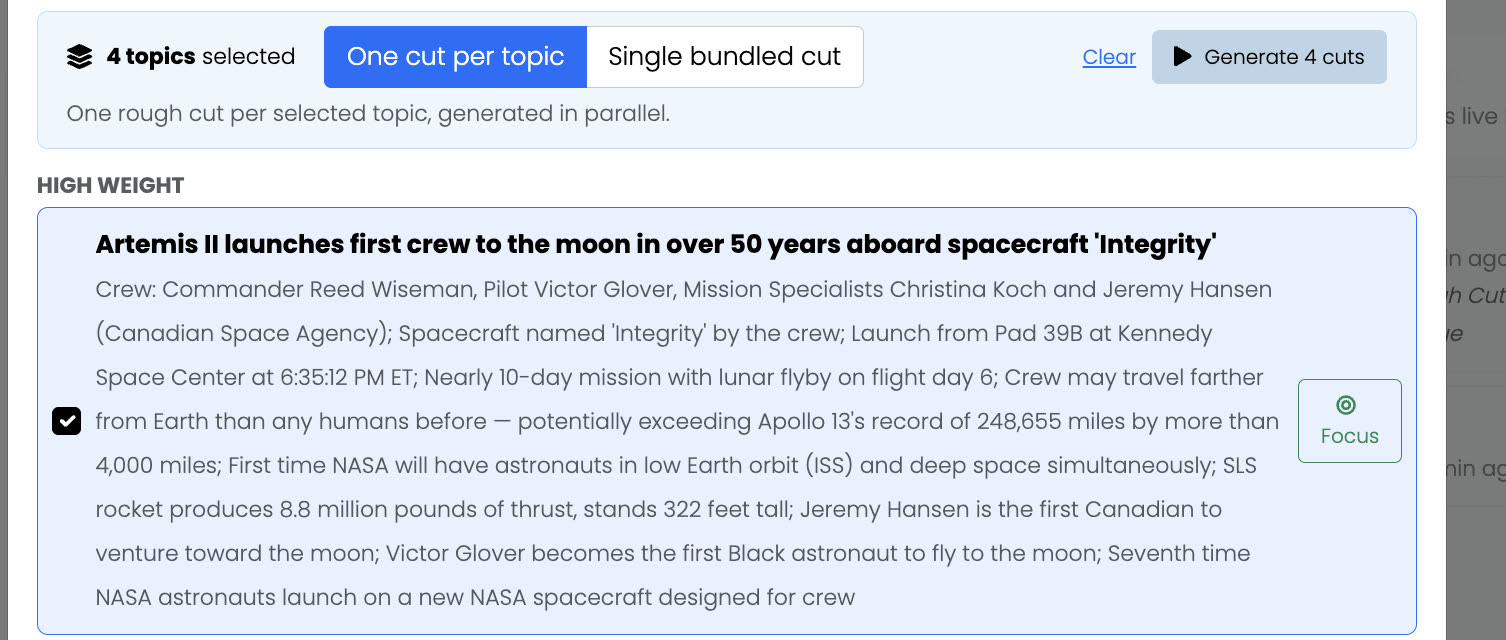
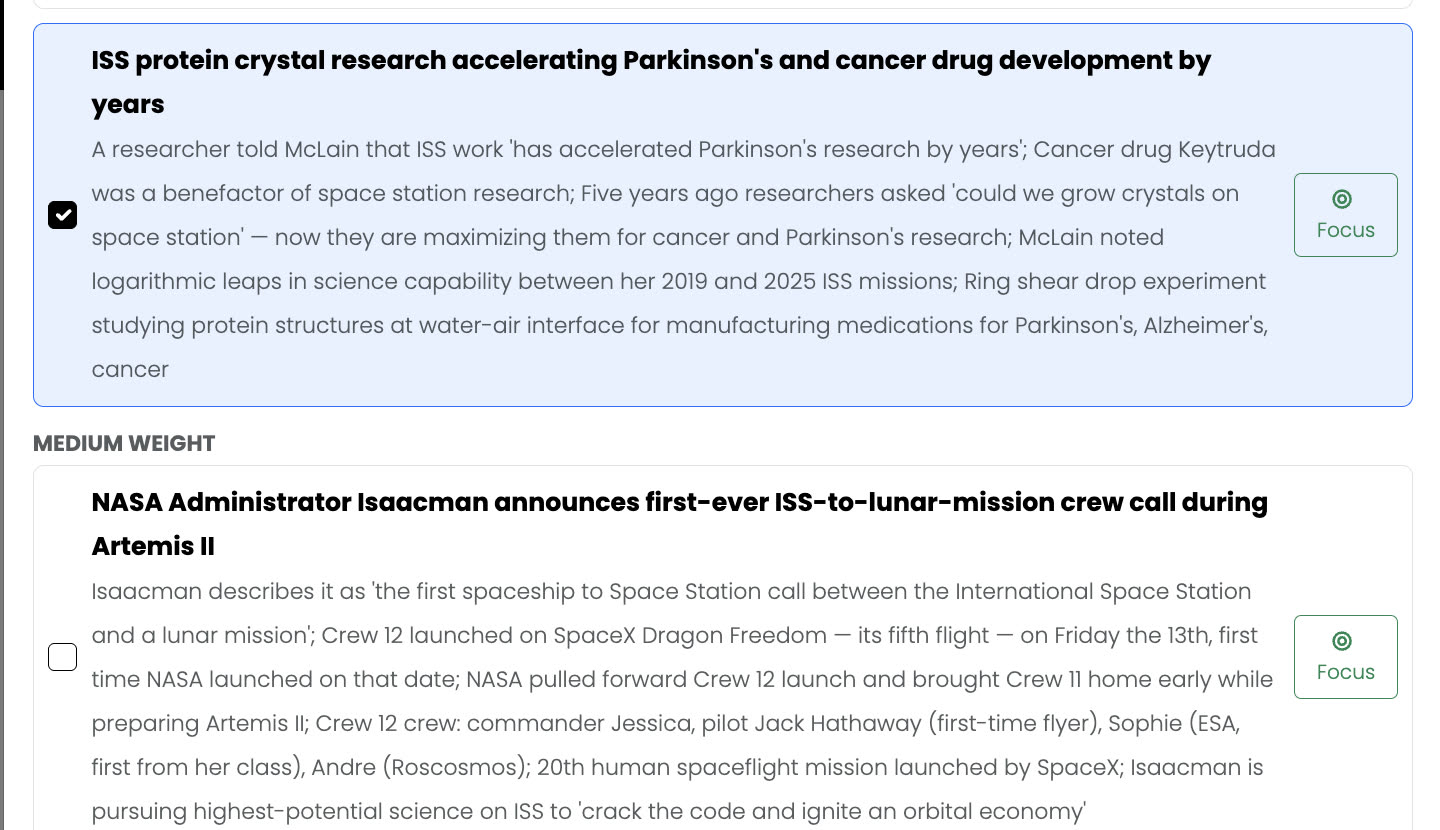
The cuts differ because each run is told to build one story and disregard the other eleven. They are not four versions of the same piece — they are four different pieces from the same tape.
What Focus actually does
Focusing an angle does two things at once. Every other story in the bin is set aside, so the cut is built for this one and nothing else. And the angle is turned into a search — using the query the analysis already wrote for it — to find what has been published on the subject in the last week.
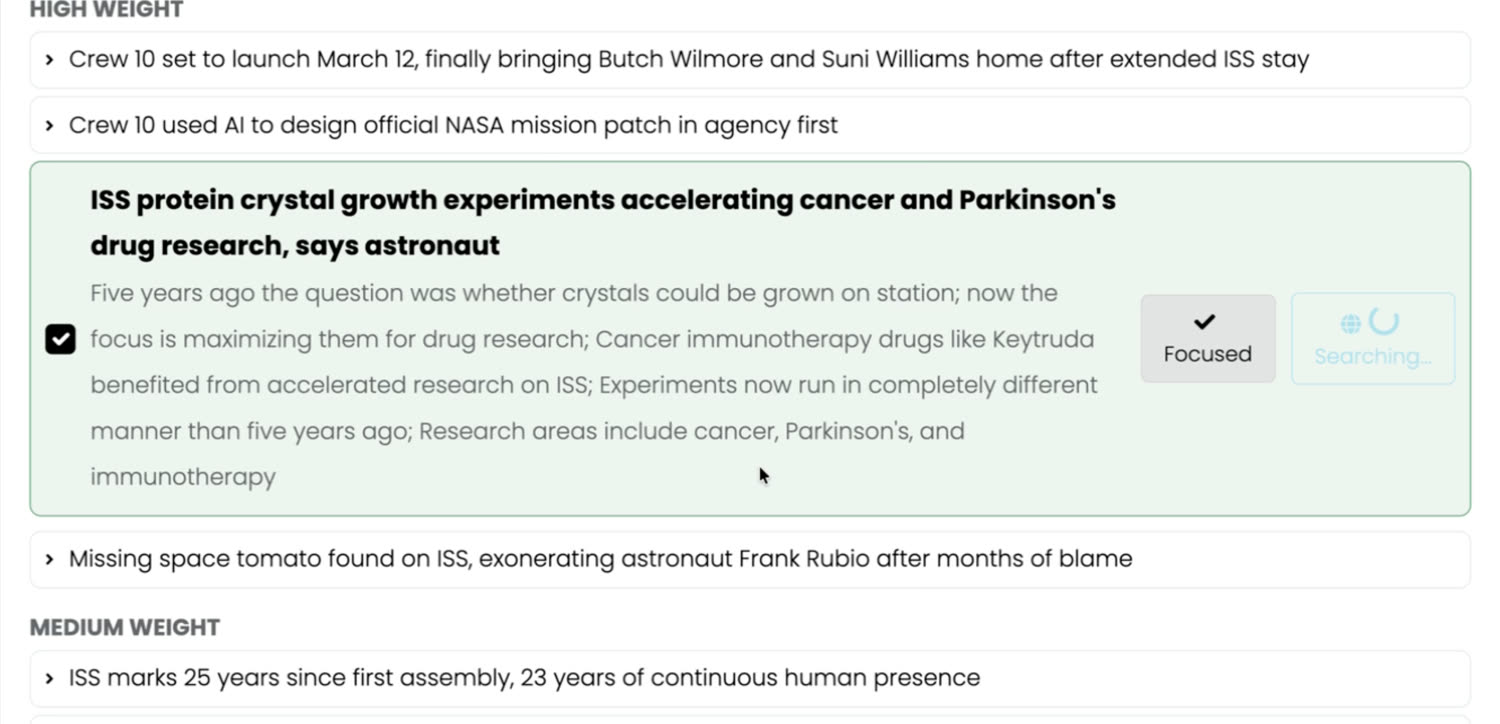
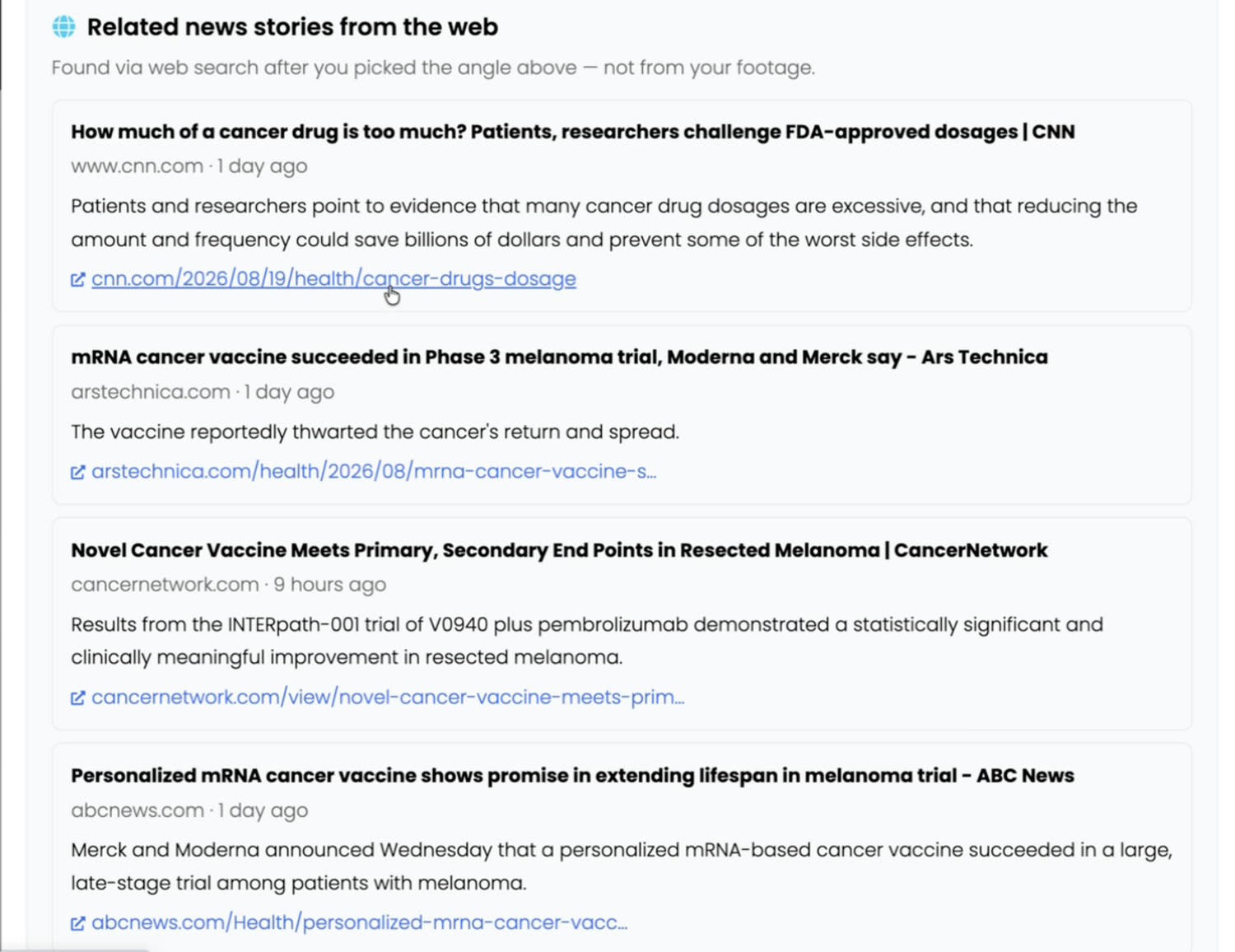
The panel is explicit about where this material comes from: “Found via web search after you picked the angle above — not from your footage.” That line matters. The research shapes the brief — which soundbites get chosen, how the piece is framed, what context the writing assumes — but nothing from the open web is quietly cut into a package as though it were on your tapes.
Four packages, cut at the same time.
The four runs go off together, not one after another, and they run without you. Close the window, take the meeting, come back to finished work.
On this bin the whole thing — twenty-two clips in, four finished news packages out — took nineteen minutes, three of them the topic pass. Four rough cuts, one per story, each already on a timeline an editor can open and start trimming.
Six minutes of structured news, sourced to timecode.
This is the protein-crystal cut — one of the four, opened on the timeline. It runs 6:16, and it is built to the template’s beats rather than dumped in transcript order. This is what the editor actually receives.
What actually changes
The judgement stays with you. Which soundbite lands, what to lose, which of the four stories is worth the slot — none of that moved, and none of it should.
What moved is everything in front of it. Watching twenty-two clips to find out what you have. Logging the quotes. Working out what the stories are before you can cut any of them. Building packages one after another because there was never time to build them side by side.
That was a day and a half. It is now twenty minutes, most of it while you are somewhere else. And you come back to four cuts to choose between, instead of the one you had to commit to before you knew what you had.
One shoot. Four stories on air. Same crew, same day.